The error An error occurred (ForbiddenException) when calling the GetRoleCredentials operation: No access likely happens if you do the following:
- You have the incorrect
sso_start_urlin your AWS CLI profile config. - If the
sso_role_namehas been changed or updated in your AWS CLI profile config or on your AWS account.
To fix the error in your AWS CLI, verify if the profile configuration is still correct. You do that by checking the ~/.aws/config file and making sure the following SSO attributes are present in the profile:
[profile example-account-sso]
sso_start_url=https://d-342987543pr.awsapps.com/start
sso_region=eu-west-1
sso_account_id=123456789012
sso_role_name=AdministratorAccess
region=eu-west-1
Log in to the AWS Console via the root user or an IAM user that has permission to access the AWS account.
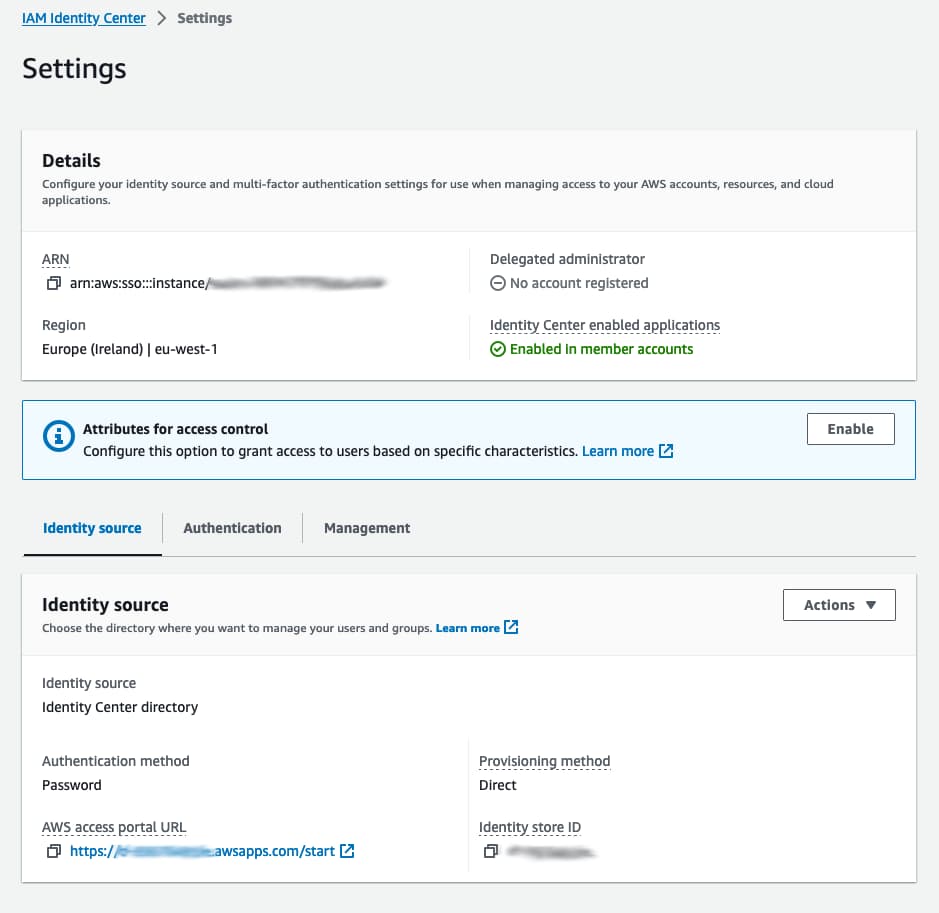
Next, visit the IAM Identity Center settings (formerly AWS Single Sign-On) in the AWS Console. Verify that the AWS access portal URL matches the sso_start_url in your AWS profile config:
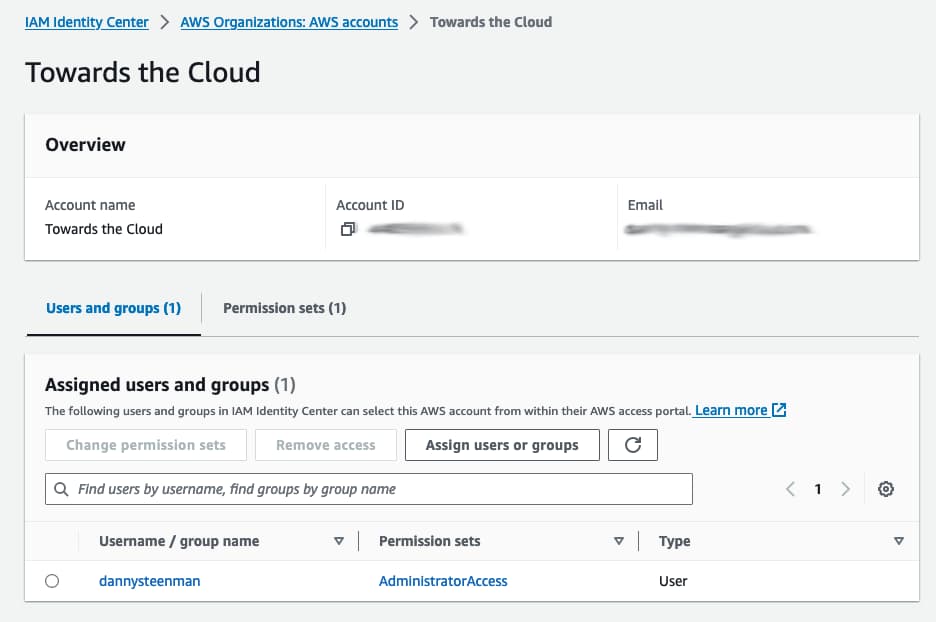
The last thing to verify is that the permission set of the SSO user matches the sso_role_name in your AWS profile config.
Go to the multi-account permissions section in IAM Identity Center. Check the Permission sets of the user that signs in to the SSO portal.
Once you have validated and adjusted the profile in your ~/.aws/config file, authenticate again via the terminal:
aws sso login --profile <profile_name>
If the profile is unrecoverable or was misconfigured beyond repair, it's often faster to delete it and recreate it from scratch than to keep patching a broken block.
For help setting up AWS SSO on your local machine, read this guide I wrote.
Frequently Asked Questions
What causes the ForbiddenException on GetRoleCredentials?
Where do I find the correct sso_start_url?
How do I check that my sso_role_name is valid?
Do I need to log in again after fixing the profile?
Next step